Can ChatGPT Identify a Font From an Image?
Last updated
TL;DR
- Yes, ChatGPT can look at a font in a photo and guess its name. But exact guesses are often wrong.
- It is good at describing the style (serif, script, geometric sans) and naming close alternatives.
- In a 2025 research test, GPT-4o named the exact font only about 1 time in 4.
- For the exact name, check ChatGPT's guess with a font matcher like WhatTheFont or Font Squirrel.
- Best workflow: ask ChatGPT first, then confirm with a matcher in under 2 minutes.
Short answer: yes, but do not trust the first name it gives you. ChatGPT can read an uploaded image and suggest a font. It is great at telling you what kind of font you are looking at. It is much weaker at naming the exact typeface. This guide shows what ChatGPT can and cannot do, and the fastest way to find a font from a picture.
What ChatGPT can and cannot do with fonts
| Task | ChatGPT | Font matcher tools |
|---|---|---|
| Describe the style (serif, script, sans) | Good | Basic |
| Name the exact font | Often wrong | Better, if the font is in their library |
| Suggest free look-alikes | Good | Good |
| Read messy or tilted photos | OK | Needs clean, straight text |
| Explain why a font fits a design | Good | No |
ChatGPT works from what it "sees" in the picture. It knows the look of famous fonts like Helvetica, Futura or Garamond well. With less common fonts, it often picks a well known font that looks close and says it with confidence.
How accurate is ChatGPT at naming fonts?
Not very, based on the evidence so far. A 2025 study called "Texture or Semantics? Vision-Language Models Get Lost in Font Recognition" tested AI models on 15 common fonts. GPT-4o named the right font in 24.67% of the easy tests. Claude 3.5 Sonnet scored 31.33%. When the image showed a font name written in a different font, GPT-4o dropped to 12.44%, because it tended to read the word instead of looking at the letter shapes.
Hands-on tests agree. CreativePro asked ChatGPT, Claude and Gemini to name a display typeface from a screenshot. All three gave confident but wrong answers.
How to identify a font from a picture, step by step
- Get a clean image. Crop to one line of text, keep it straight, and make the letters large and sharp.
- Ask ChatGPT first. Upload the image and ask: "What font is this? Give me your top 3 guesses, the font style, and 2 free alternatives." For a tool made for this job, open Font Identifier AI on ChatGPT.
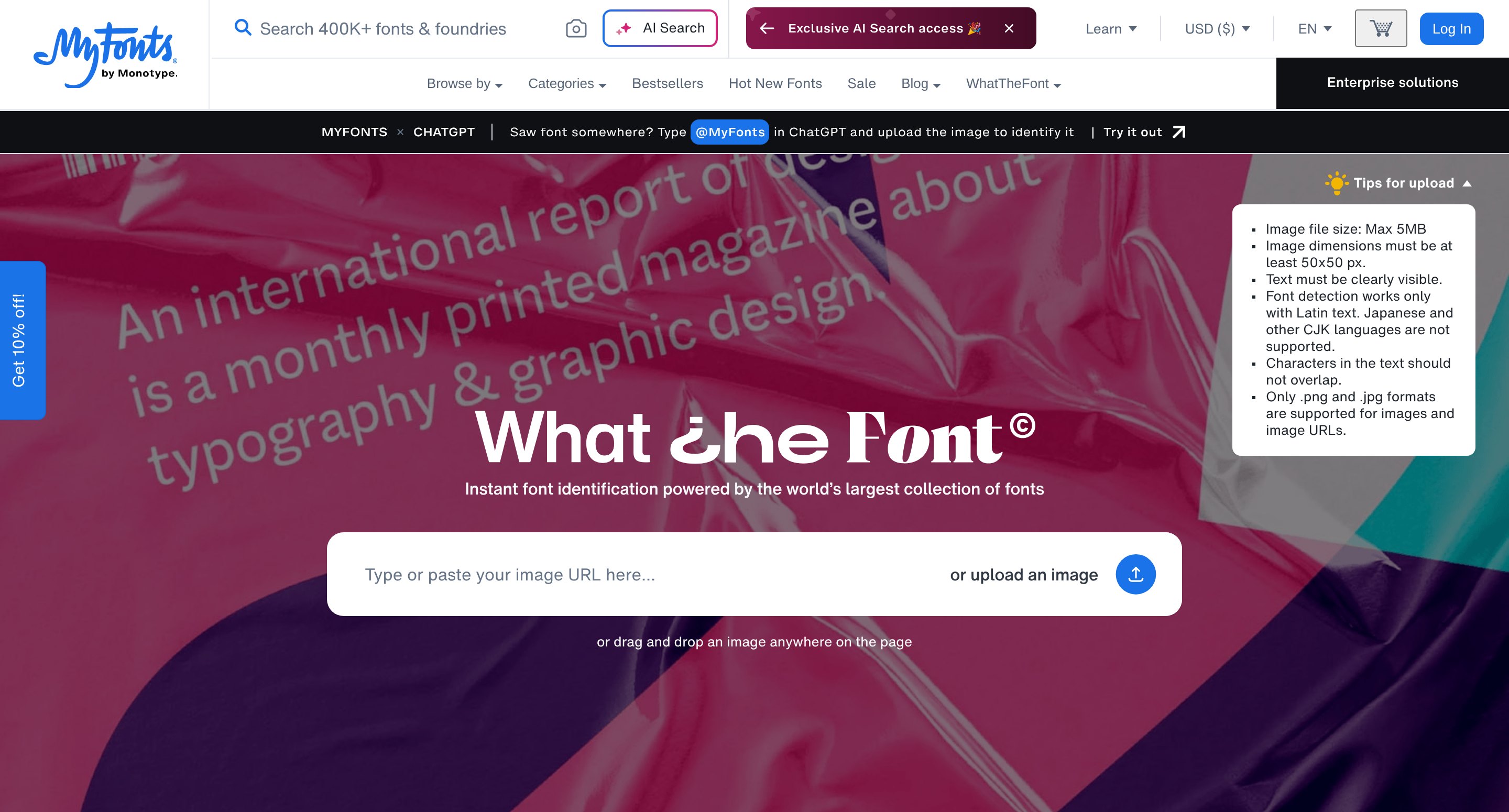
- Confirm with a font matcher. Upload the same image to WhatTheFont or the Font Squirrel Font Identifier and compare the results with ChatGPT's guesses.
- Check the letters that differ most. Compare a, g, R, Q and numbers side by side. These letters usually give the answer away.
- Check the license before you use it. Note if the font is free for commercial use or needs a paid license.
Free tools to check ChatGPT's guess
These sites compare the letters in your image against big font libraries. They work best on clean, straight text.
- WhatTheFont by MyFonts. Upload an image or paste a URL. Its upload tips say images can be up to 5 MB, must be PNG or JPG, and font detection works only with Latin text.
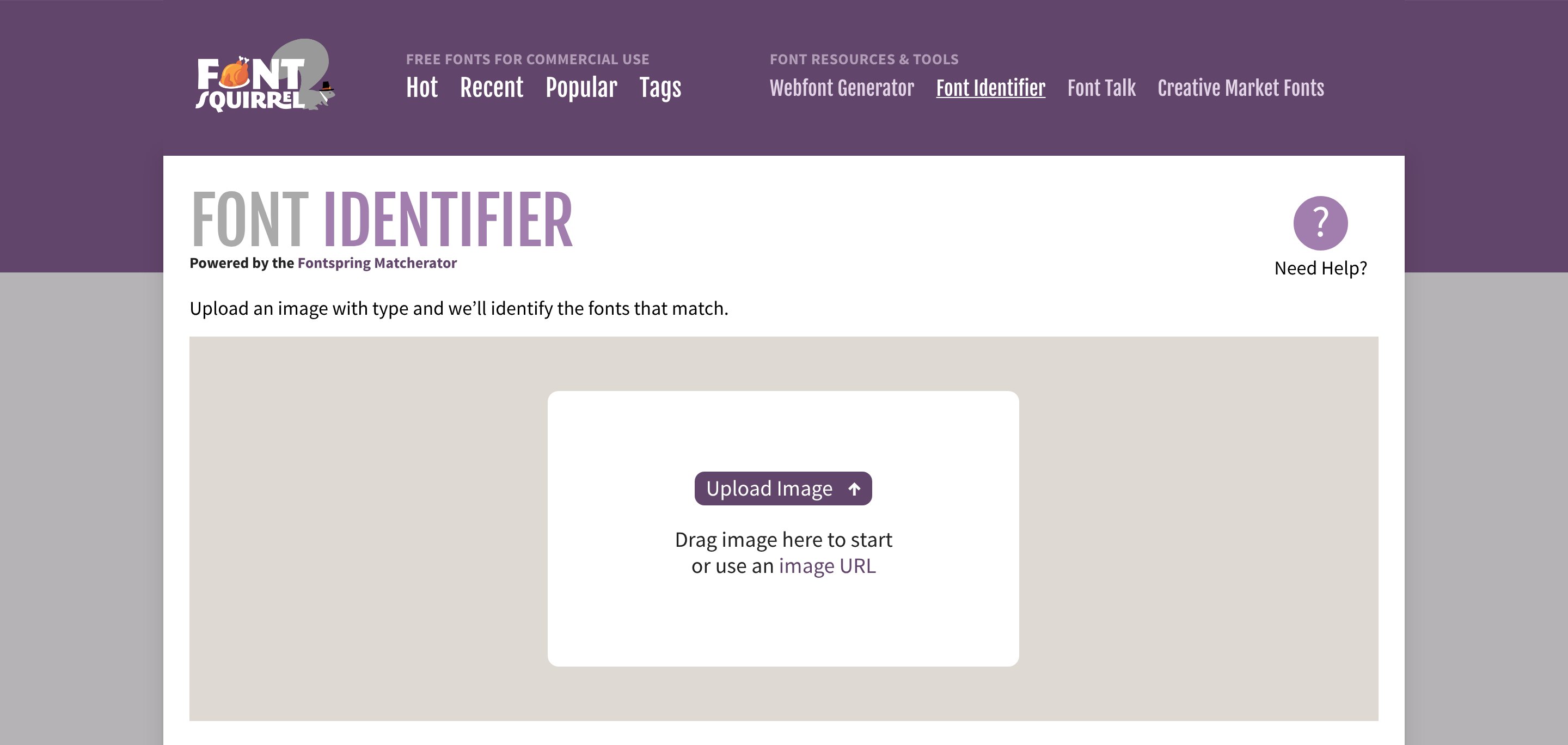
- Font Squirrel Font Identifier, powered by the Fontspring Matcherator. Upload an image or use an image URL, then pick the glyphs it found.
- WhatFontIs. Upload an image and get a list of matches, including free alternatives.
MyFonts also promotes a way to use WhatTheFont inside ChatGPT. Its site says you can type @MyFonts in ChatGPT and upload an image to identify a font.
Prompts that get better font answers from ChatGPT
- "What font is this? Give 3 guesses ranked by confidence and say what you are unsure about."
- "Describe this font: serif or sans, x-height, stroke contrast, and any unusual letters."
- "Suggest 3 free Google Fonts that look close to this."
- "Ignore what the text says. Only look at the letter shapes."
The last prompt matters. Research shows AI models get distracted by the words in the image, so telling it to focus on shapes can help.
When ChatGPT gets fonts wrong
- Custom logos and lettering. Many brand logos use custom type that no font library has.
- Low quality images. Blurry, small or tilted text hides the details that tell fonts apart.
- Rare or new fonts. ChatGPT tends to fall back on famous fonts it knows well.
- Non-Latin scripts. Both ChatGPT and most matcher tools are weaker here.
Curious about ChatGPT's own typeface? See this page on the font ChatGPT uses.
FAQ
Can ChatGPT identify a font from a screenshot?
Yes. Upload the screenshot and ask what font it is. ChatGPT will suggest a name and similar fonts, but check the result with a font matcher because exact names are often wrong.
Can ChatGPT find fonts for free?
You can upload images and ask about fonts on a free ChatGPT account, within your plan's limits. Matcher sites like WhatTheFont and Font Squirrel also let you upload an image on their website.
What is the most accurate way to identify a font from an image?
Use a clean, cropped image and a dedicated font matcher, then compare key letters by eye. Use ChatGPT to describe the style and suggest alternatives.
Why does ChatGPT say the wrong font with confidence?
It matches the general look to fonts it knows well. Fine details like stroke ends and letter widths get lost, so it often picks a popular font that looks close.
Is there a ChatGPT tool made for identifying fonts?
Yes. Font Identifier AI is a custom GPT for finding fonts from images and suggesting similar families.
Sources
Checked on 2026-11-26.